Cameras + platform

Patrol6

Connected cameras, live operations, and AI reporting.
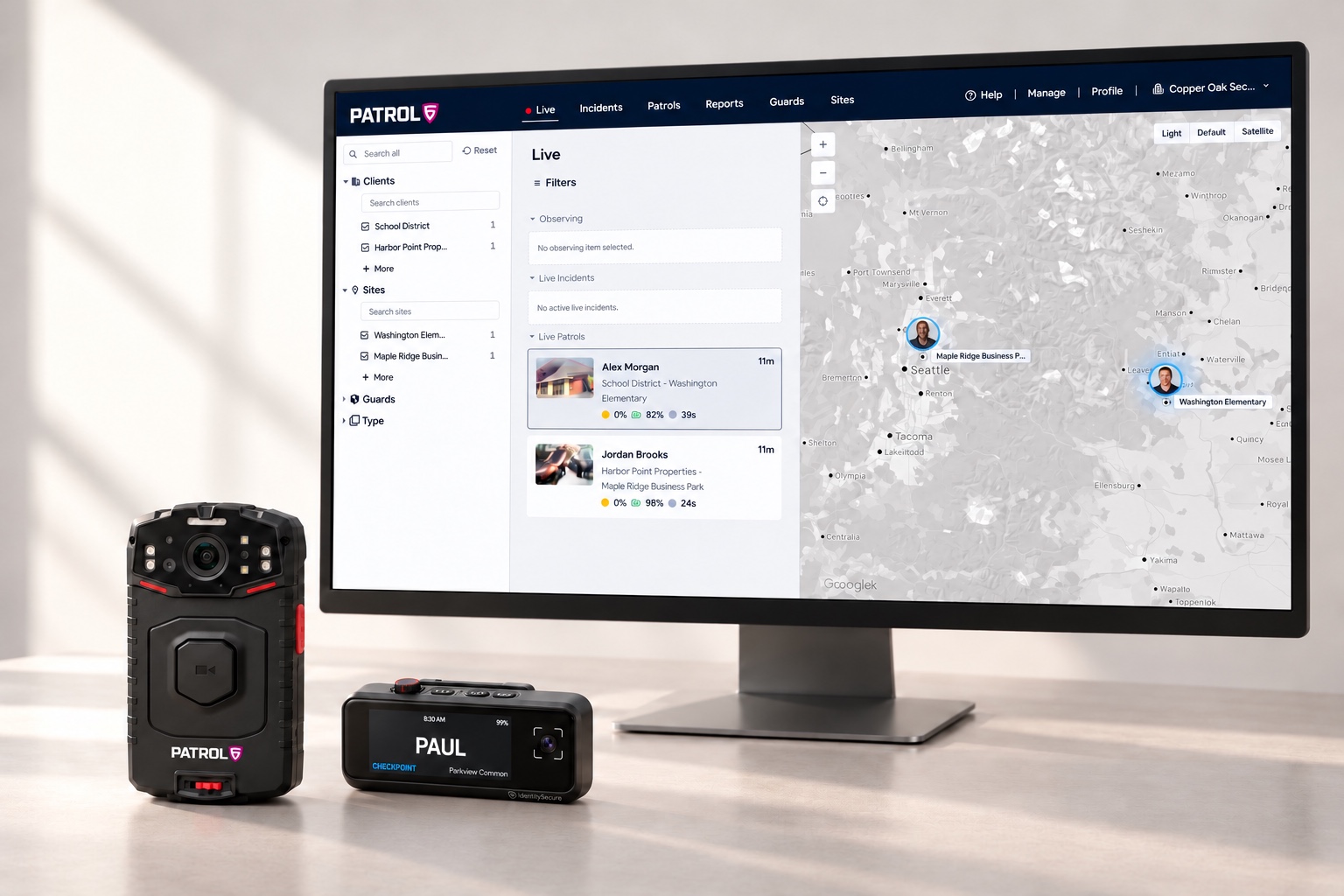
Patrol6 operations dashboard with the P1 body camera and BC1 Badge Cam.

See it in action

The platform walkthrough.

Inside Patrol6

Explore the platform.

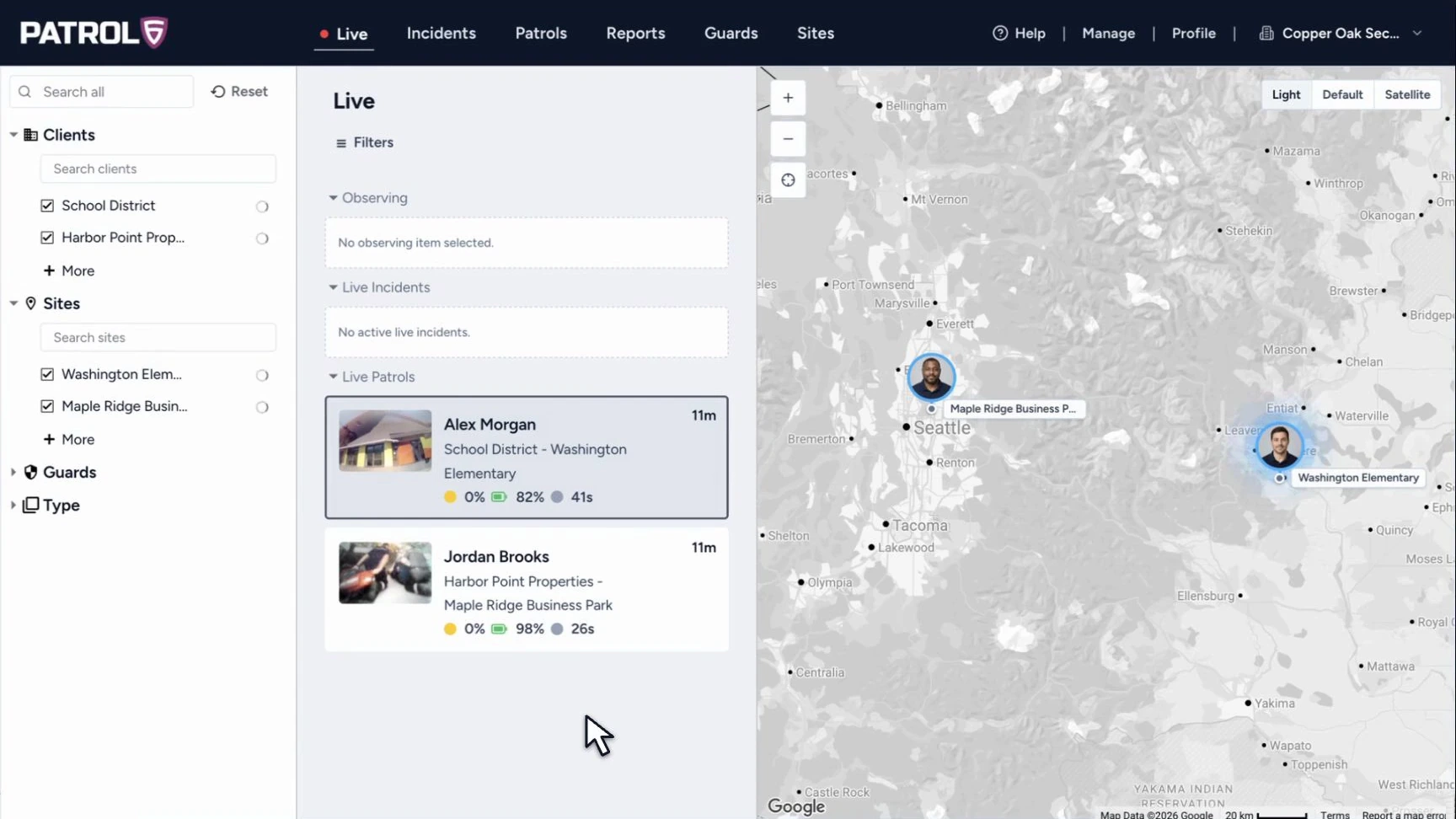
See active operations.

  • Monitor active incidents live
  • See guard locations
  • Monitor patrols
Live operations dashboard showing active patrols, camera status, and guard locations on a map.

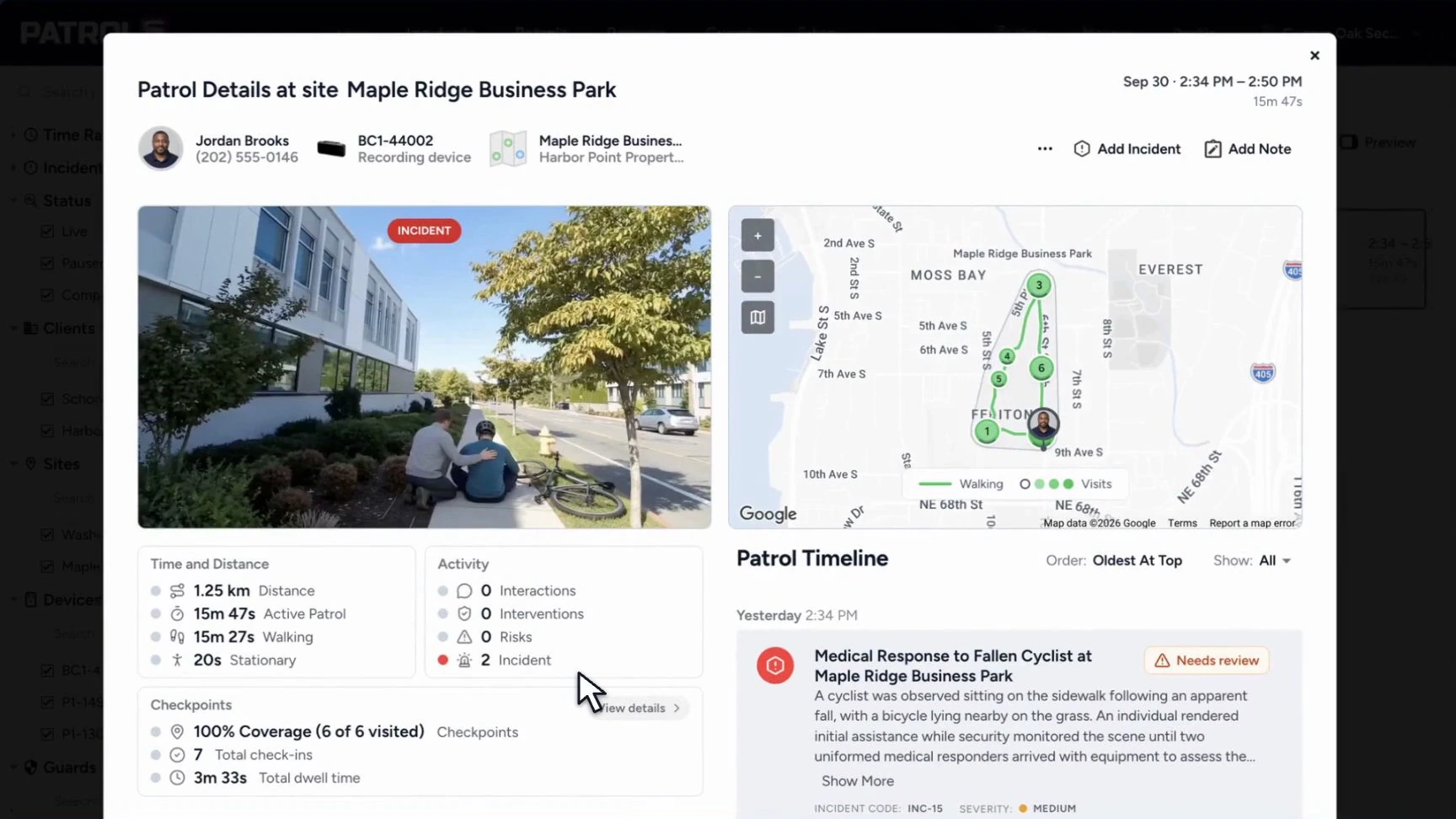
Your checkpoints. Your tasks.

  • Your site checkpoints
  • Tasks per checkpoint
  • Site-specific instructions
  • Patrol coverage
Patrol detail showing the route, visited checkpoints, patrol duration, and incident timeline.

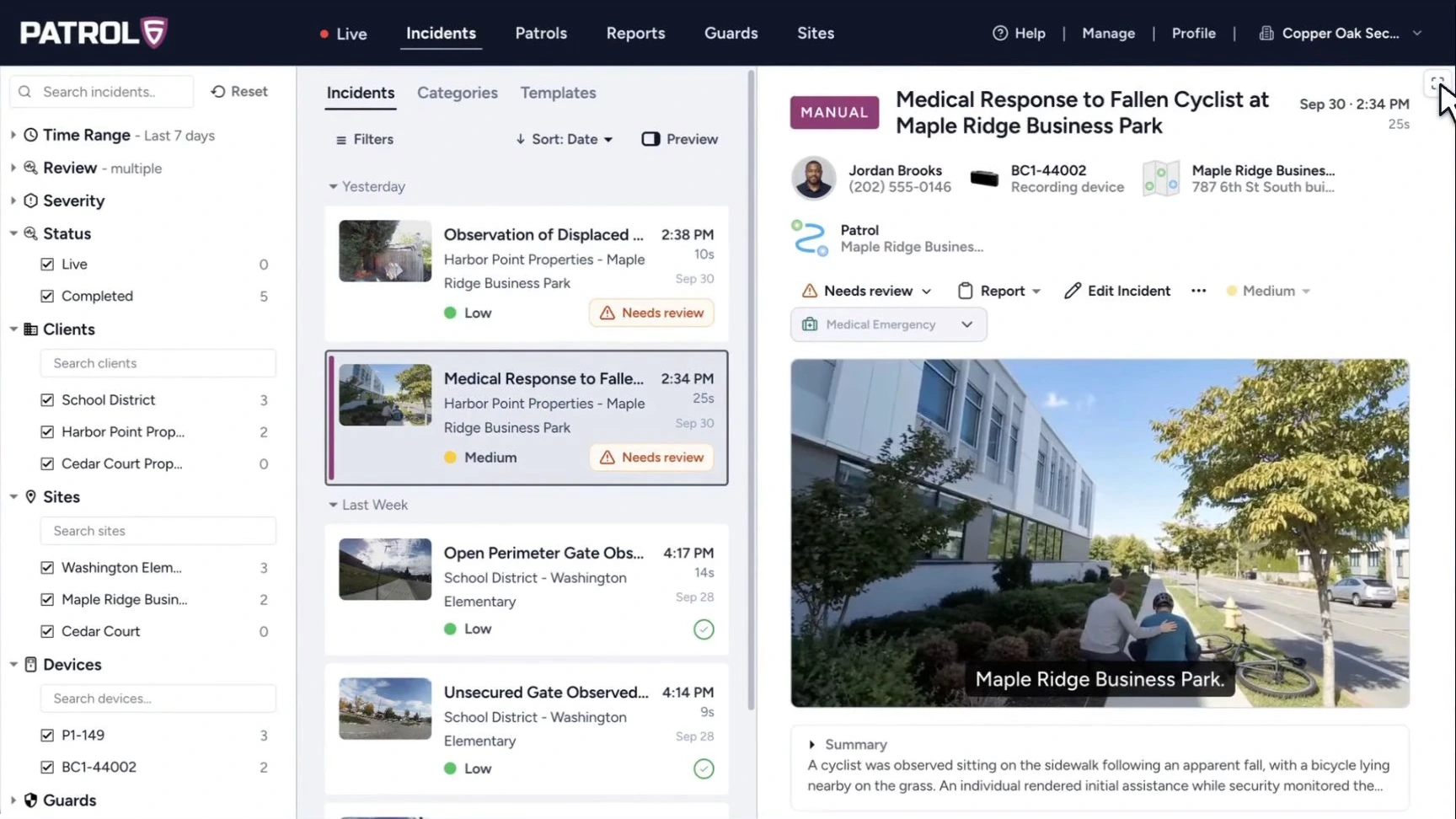
Your incident categories.

  • Custom incident categories
  • Site-specific context
  • Video & transcripts
  • Supervisor review
Incident workspace with recorded footage and the incident summary.

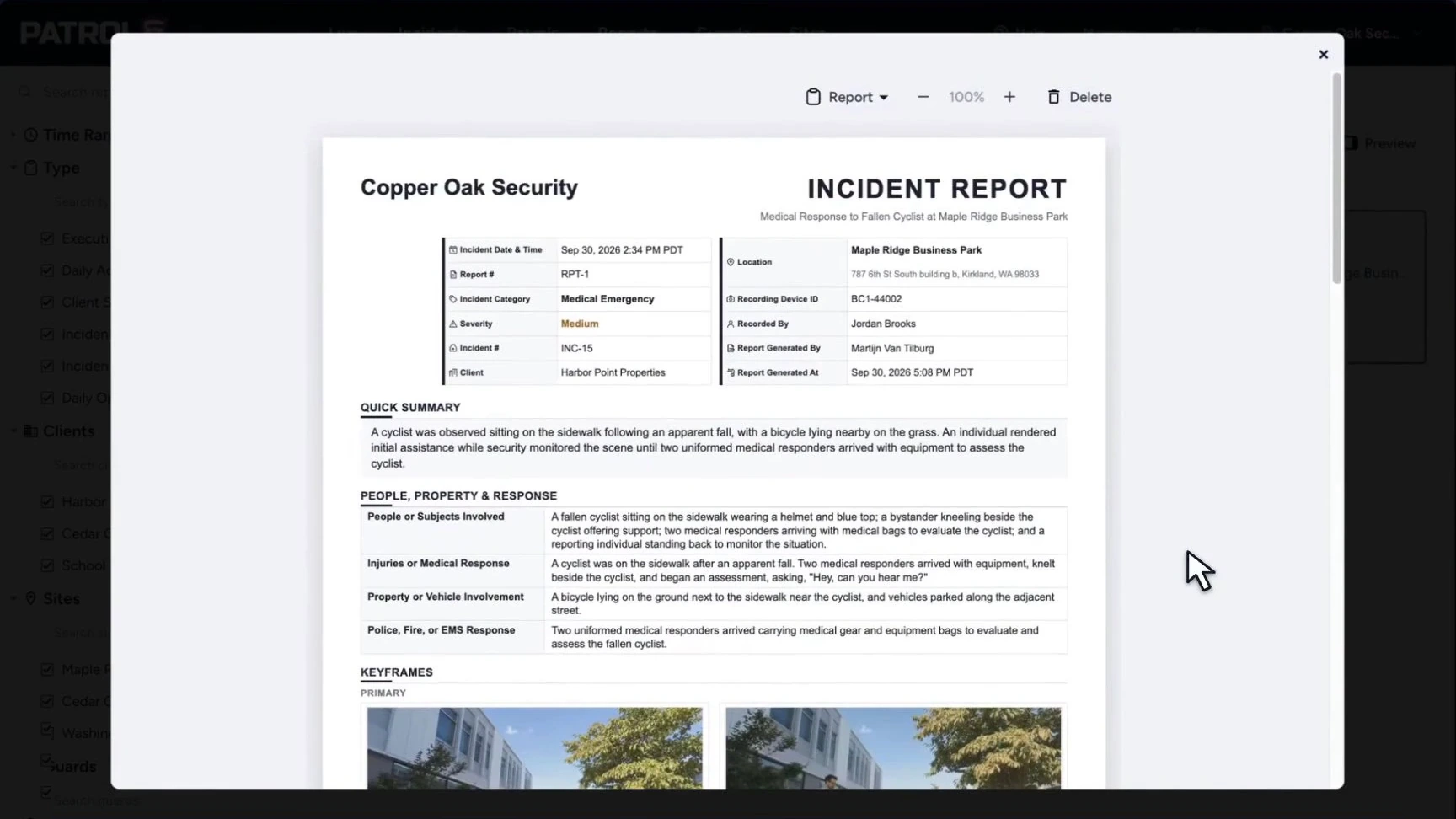
Reports for your operation.

  • Custom reports
  • Site & date filters
  • Patrol & incident reports
  • PDF export
An incident report in the Patrol6 report viewer, ready for review and PDF export.

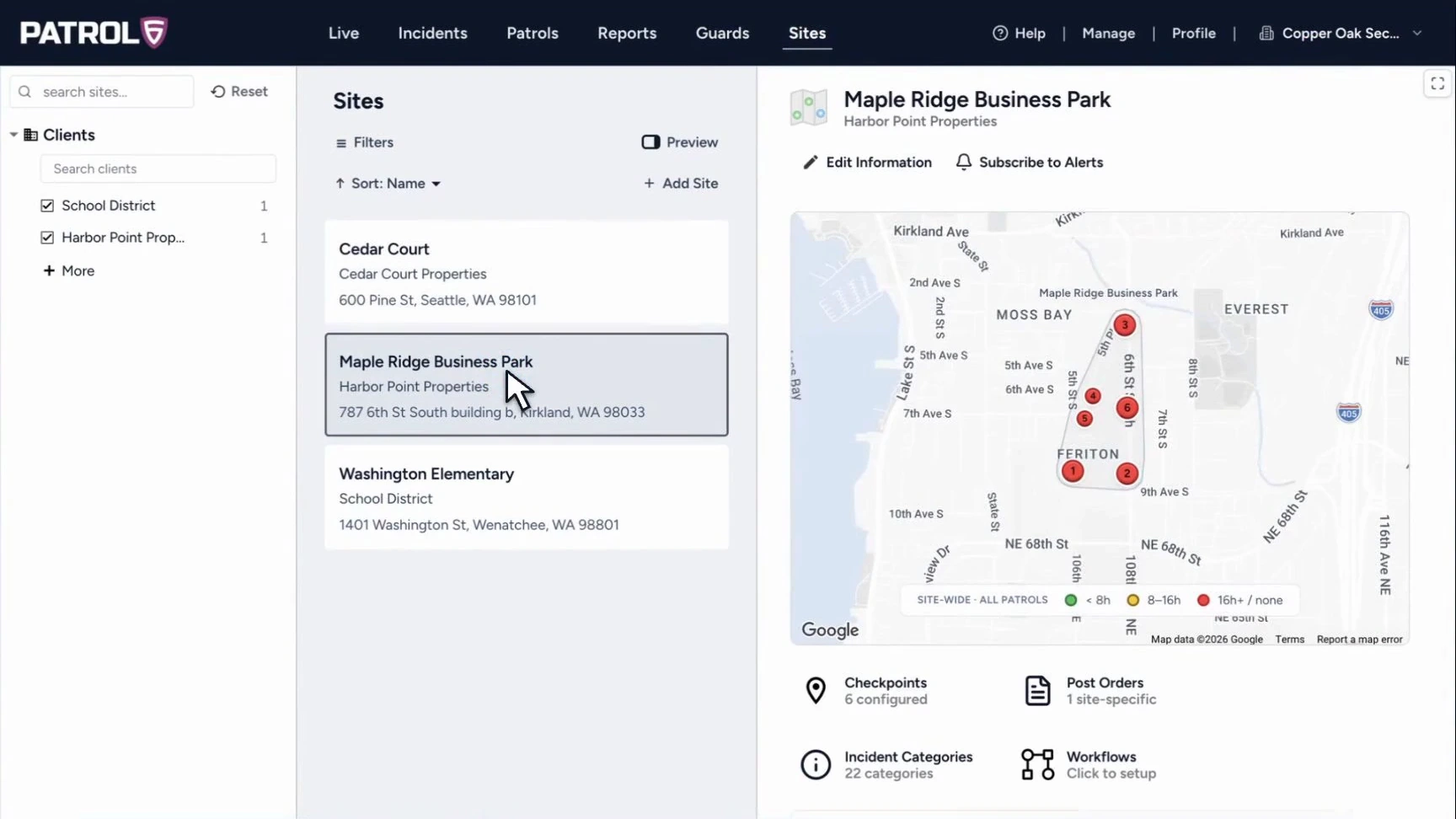
Set up each location.

  • Your site instructions
  • Custom post orders
  • Checkpoint setup
  • Site maps
Site setup showing a property map, checkpoints, post orders, and site instructions.

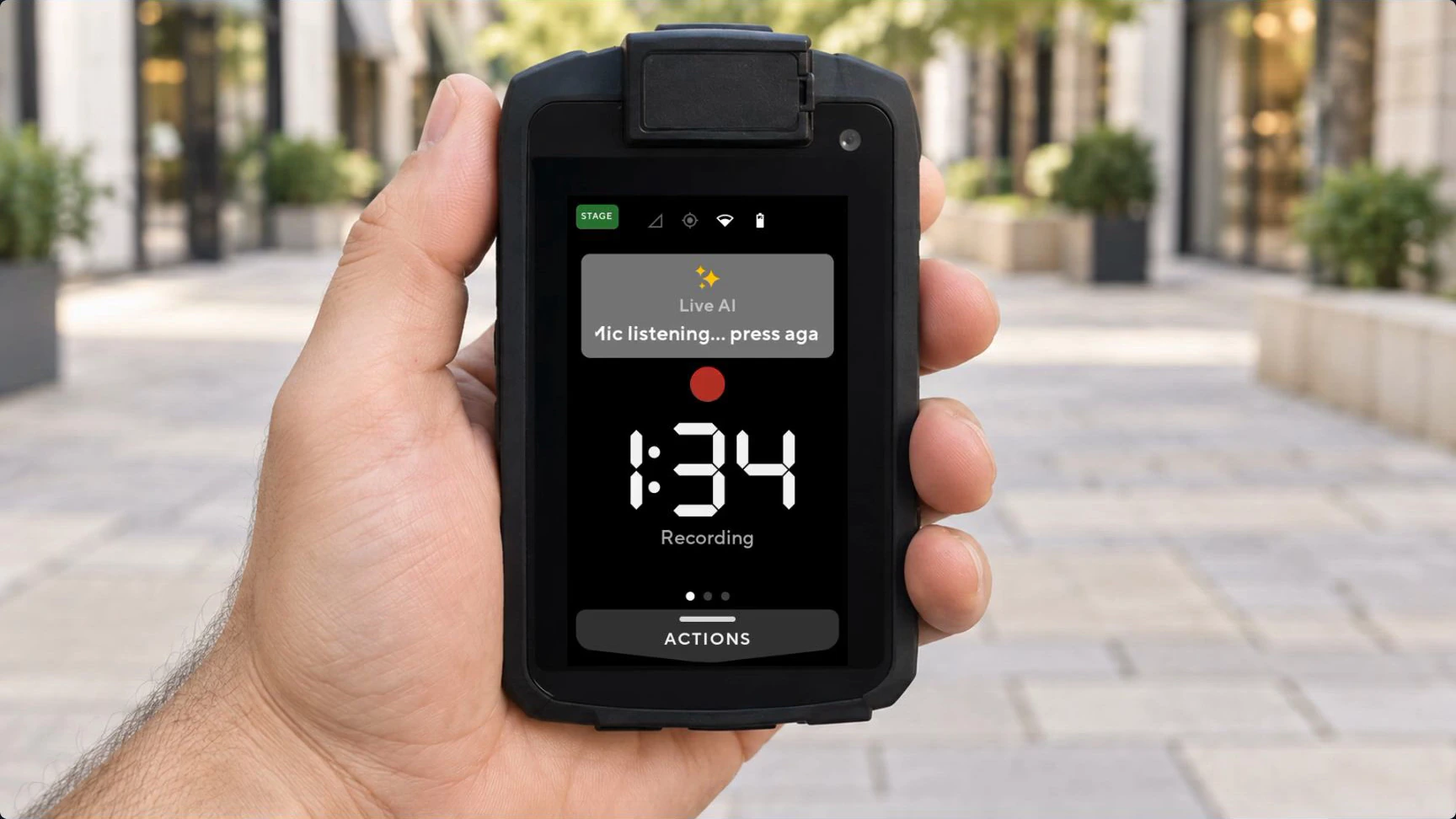
Guidance from your instructions.

  • Your site instructions
  • Checkpoint task guidance
  • Post-order context
  • Adjustable AI engagement
A P1 body camera during a patrol with LiveAI listening for a spoken request.
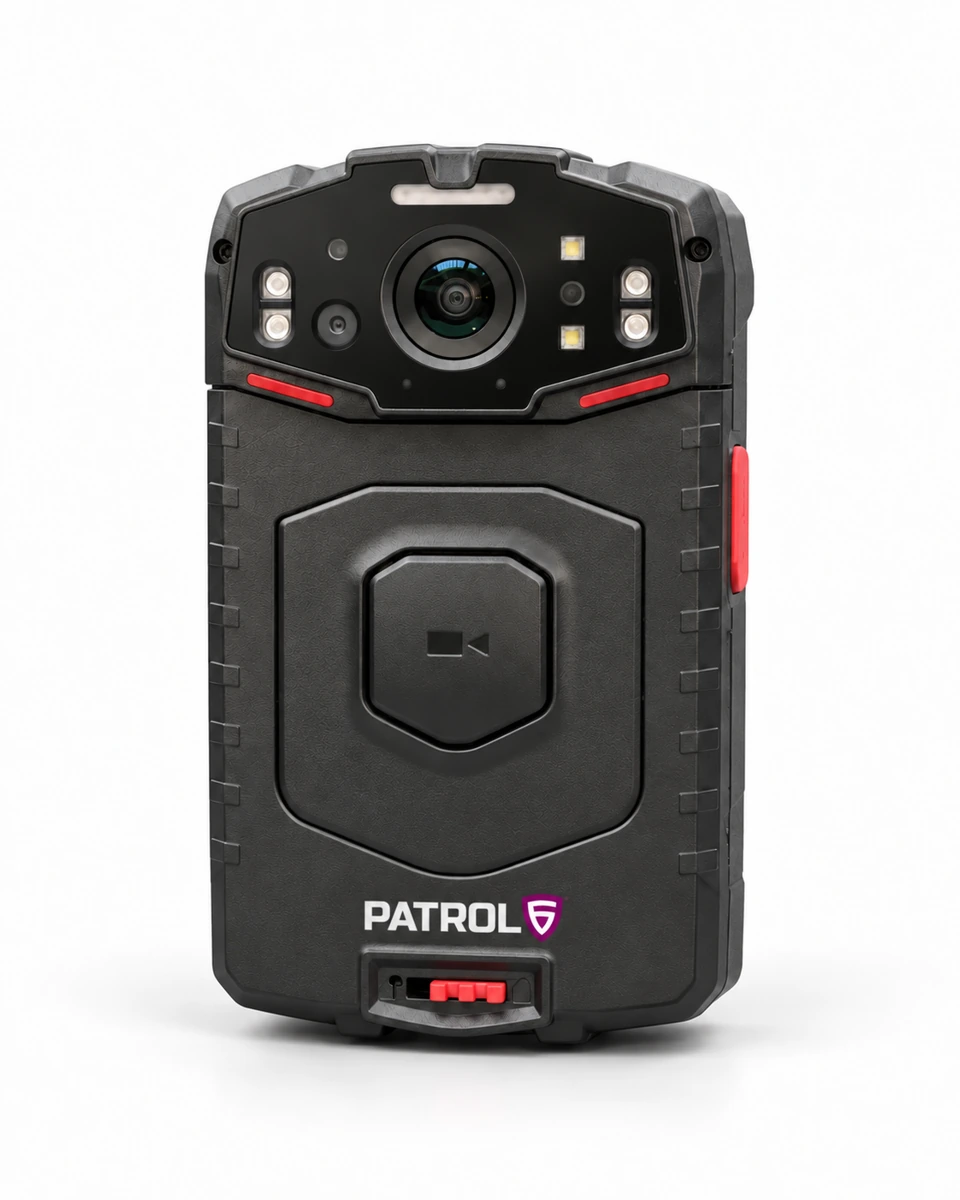
Front view of the Patrol6 P1 body camera, showing the lens, infrared lights, and recording control.

P1 body camera

Built for the field.

  • HD video
  • Infrared night vision
  • IP67 protection
  • Replaceable battery
  • Touch display
  • GPS, Wi-Fi & LTE

Technical specifications

Capture

Video
1280 × 720 · 25 fps
Codec
H.264
Field of view
120°
Low light
Infrared night vision
Still photos
JPEG
Recall
7 days of video

Hardware

Dimensions
103 × 63 × 22 mm¹
Weight
208 g with battery
Display
3.1-inch touch · 480 × 800
Protection
IP67
Operating range
−20°C to 55°C
Battery
3,200 mAh · replaceable³

Storage & connection

Internal storage
32 GB
Included SD card
256 GB
Connectivity
LTE · Wi-Fi · GPS
Wi-Fi bands
2.4 / 5 GHz
Charging
USB-C / cradle
Runtime
10+ hours²

¹ Dimensions without clip. ² Battery life varies with recording, connectivity, and usage.
³ Includes two batteries and a dual charging cradle.
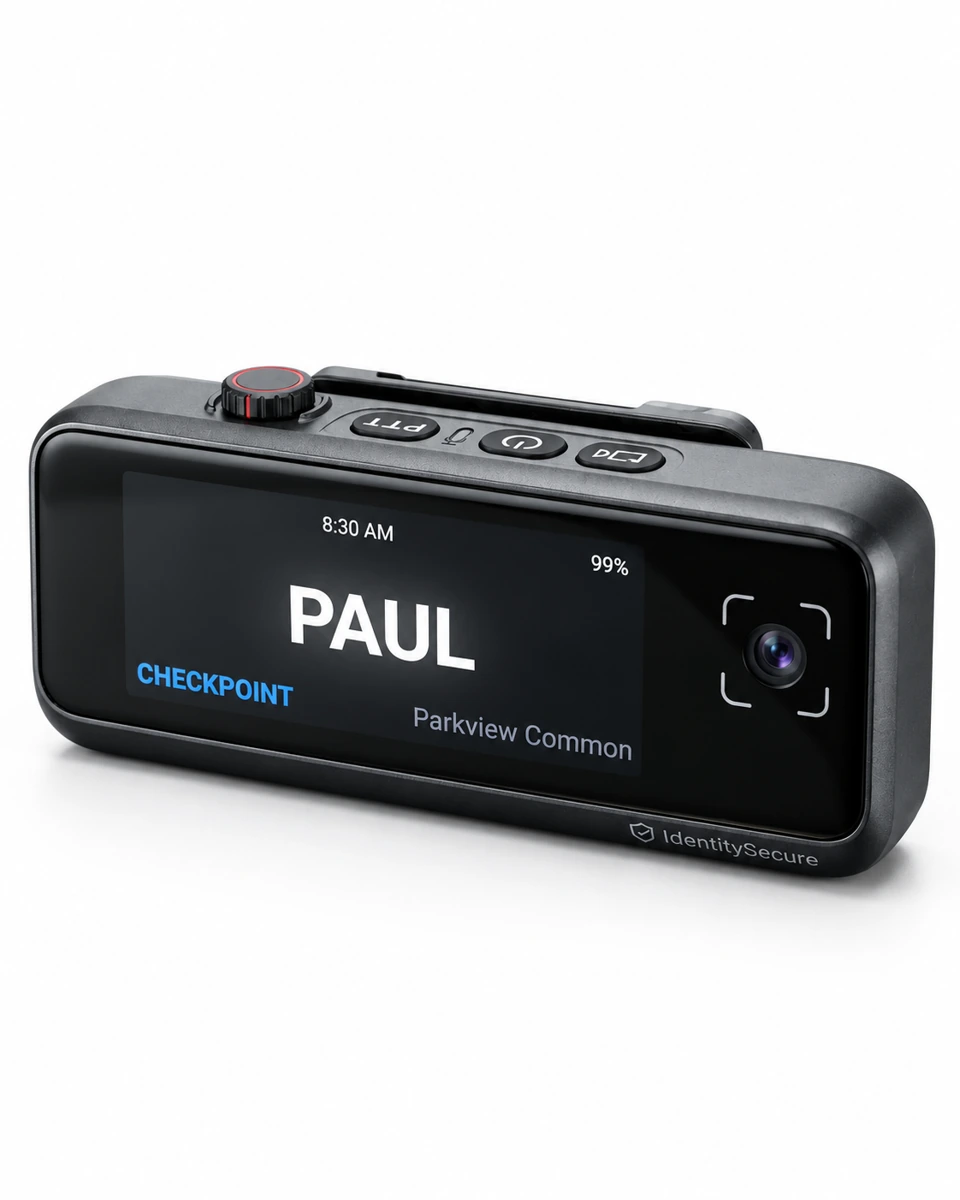
BC1 Badge Cam in its horizontal name-badge configuration, with the name display and camera lens.

BC1 Badge Cam

A camera you can wear.

  • HD video
  • 63 g
  • One-touch recording
  • Badge or pendant
  • Audio + snapshot recall
  • GPS, Wi-Fi & LTE
Ask about Badgecam

Technical specifications

Capture

Recording
HD video
Recall
7 days of audio + snapshots
Activation
One-touch recording

Hardware

Weight
63 g
Wearing options
Badge clip / pendant
Runtime
Up to 10 hours²

Connection

Cellular
LTE
Wireless
Wi-Fi
Location
Built-in GPS

² Battery life varies with recording, connectivity, and usage.

Data + connections

Part of your operation.

Capture offline.

  • On-device recording
  • Sync when connected
  • Six months cloud storage

Connect your tools.

  • Scoped API access
  • Signed webhooks
  • MCP compatibility
Developer API

Per device. Per month.

$150 / month

  • Unlimited guards
  • Multiple shifts per day
  • Six months of cloud storage
  • Data connectivity included
  • All AI features included

Quick answers

Can guards share a camera?

Yes. The device plan includes unlimited guards and multiple shifts per day.

What works without a connection?

Recording stays on the camera and syncs when connectivity returns. Live feeds, uploads, and remote alerts need a connection.

Can we review AI-generated reports?

Yes. Supervisors review the report and supporting evidence before sharing.

Where can I find camera instructions and support?

The P1 user manual covers setup, controls, and charging. For help, contact support.

Where can I find security and data information?

See Enterprise readiness for data ownership, security controls, retention, and deployment details.

Can we connect Patrol6 to other systems?

The Developer API documentation covers API access, signed webhooks, and MCP integrations.

See Patrol6 with your team.

A walkthrough of cameras, platform, and setup.

Request a demo

Fill out the form below and we’ll get back to you shortly.

Your contact details

* Required fields