Report6 · iPhone + Android

Walk. Talk.
Done.

Photos, voice, and locations. Organized into a field report.

Watch the explainer
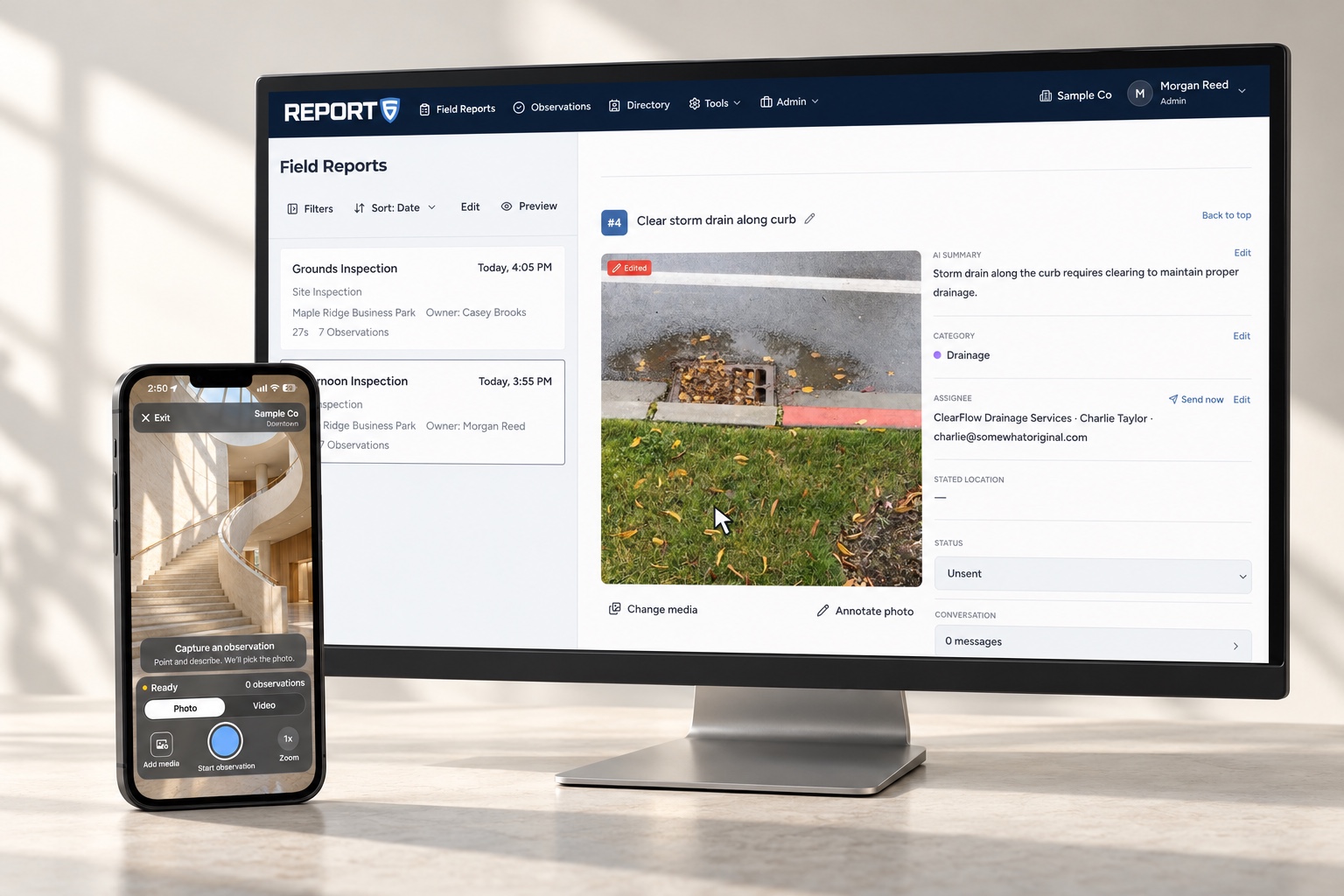
Report6 on a phone beside a desktop monitor displaying a field report with an observation photo, category, and assignee.

See it in action

The platform walkthrough.

Inside Report6

From capture to follow-up.

Your words. A clear observation.

  • AI selects the best image
  • AI automatically writes your observations
  • Your intent preserved
  • Photos every second
  • Voice + GPS location
  • Add to an open report
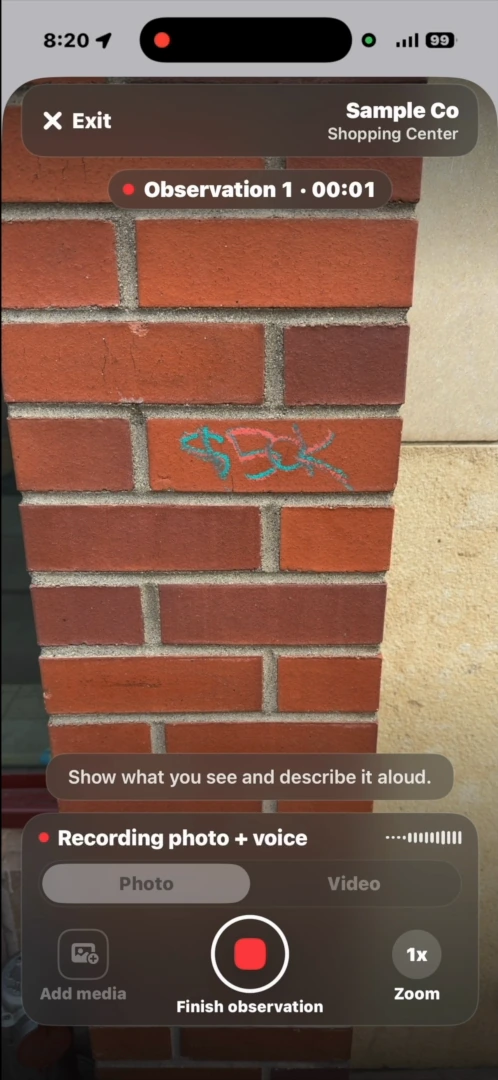
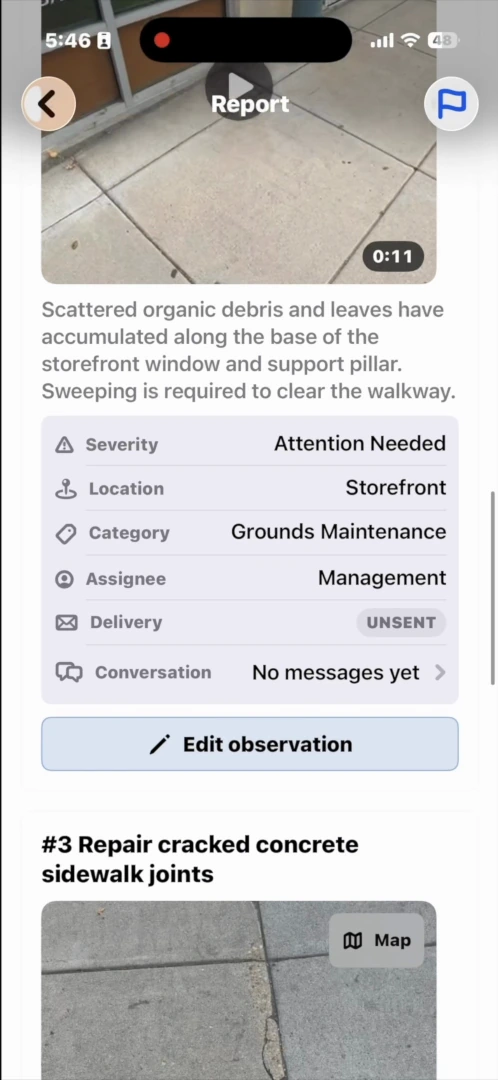
Report6 recording a narrated observation of graffiti on a brick wall.Report6 mobile report showing observations, categories, and assignees.

Ready to use. Easy to edit.

  • Most observations need no changes
  • Edit any AI-captured field
  • Description + category
  • Location + assignee
  • Photo selection + annotations
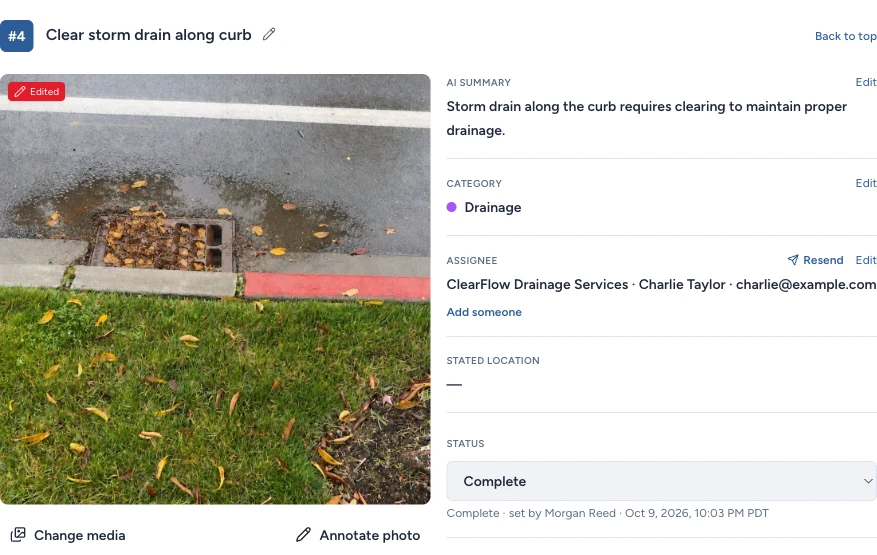
Report6 observation with the selected photo and editable AI summary, category, vendor, location, and status.

Enterprise

Matched by AI. Sent by you.

  • AI matches categories to vendors
  • Action items prepared after capture
  • Company + site vendors
  • Review the recipient
  • You choose when to send
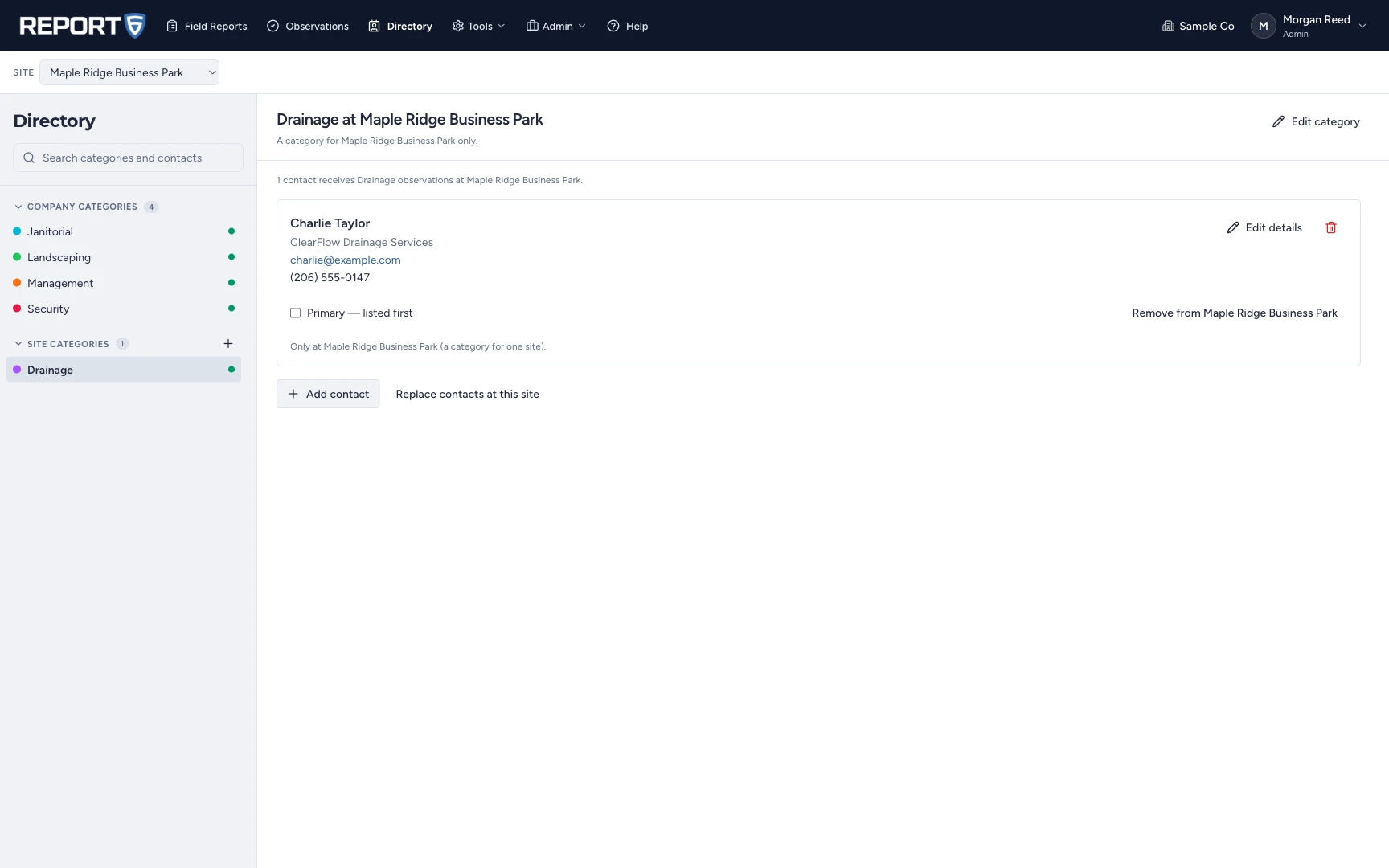
Report6 vendor directory linking the Drainage category at Maple Ridge Business Park to Charlie Taylor at charlie@example.com.

Enterprise

Keep the conversation with the issue.

  • Interactive vendor chat
  • Replies + follow-up photos
  • Track progress to completion
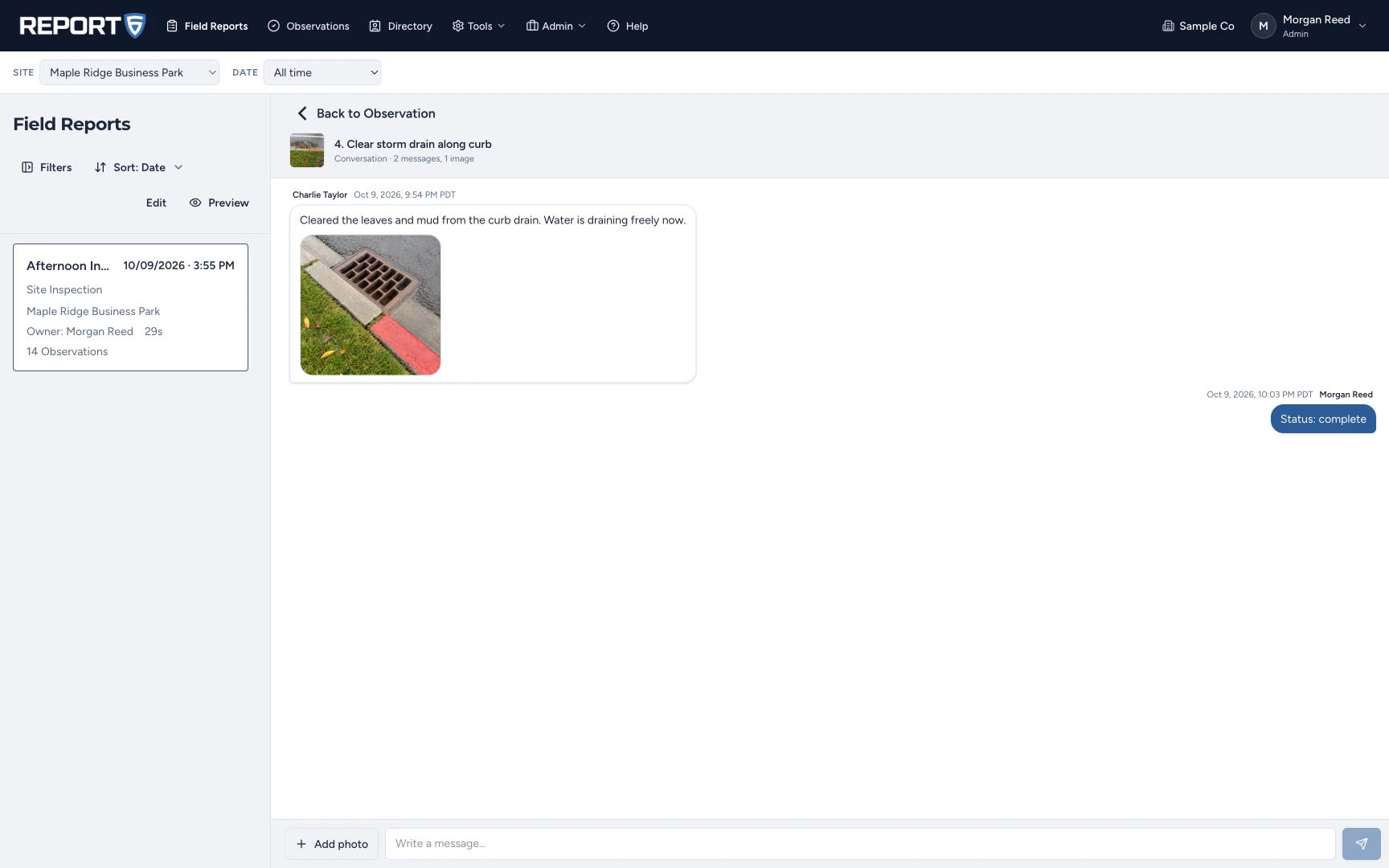
Report6 conversation showing a vendor reply, a photo of the cleared drain, and a status update marking the issue complete.

Your format. Across your team.

  • 11 built-in starting points
  • Custom templates on your device
  • Shared company-approved templates
  • Templates for jobs + sites
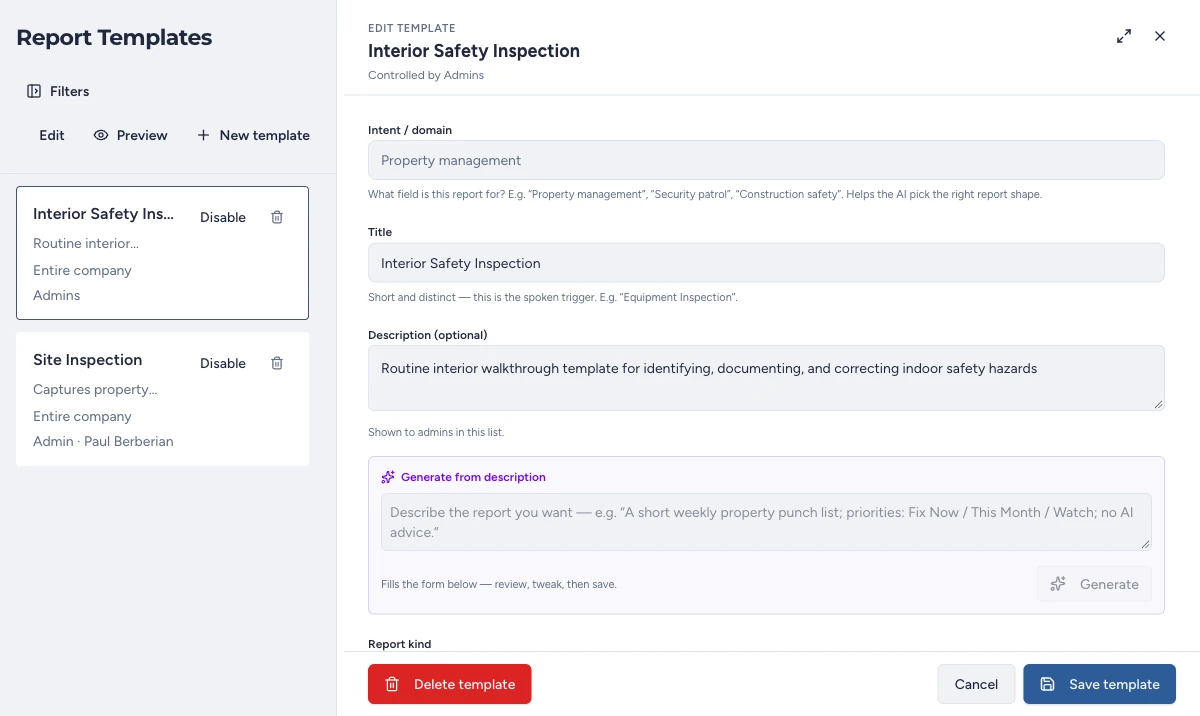
Report6 Enterprise templates, including Interior Safety Inspection and Site Inspection, with company-wide availability and editable report settings.

Share the finished report.

  • PDF reports
  • Editable DOCX
  • Shareable links
  • Merge reports on the web
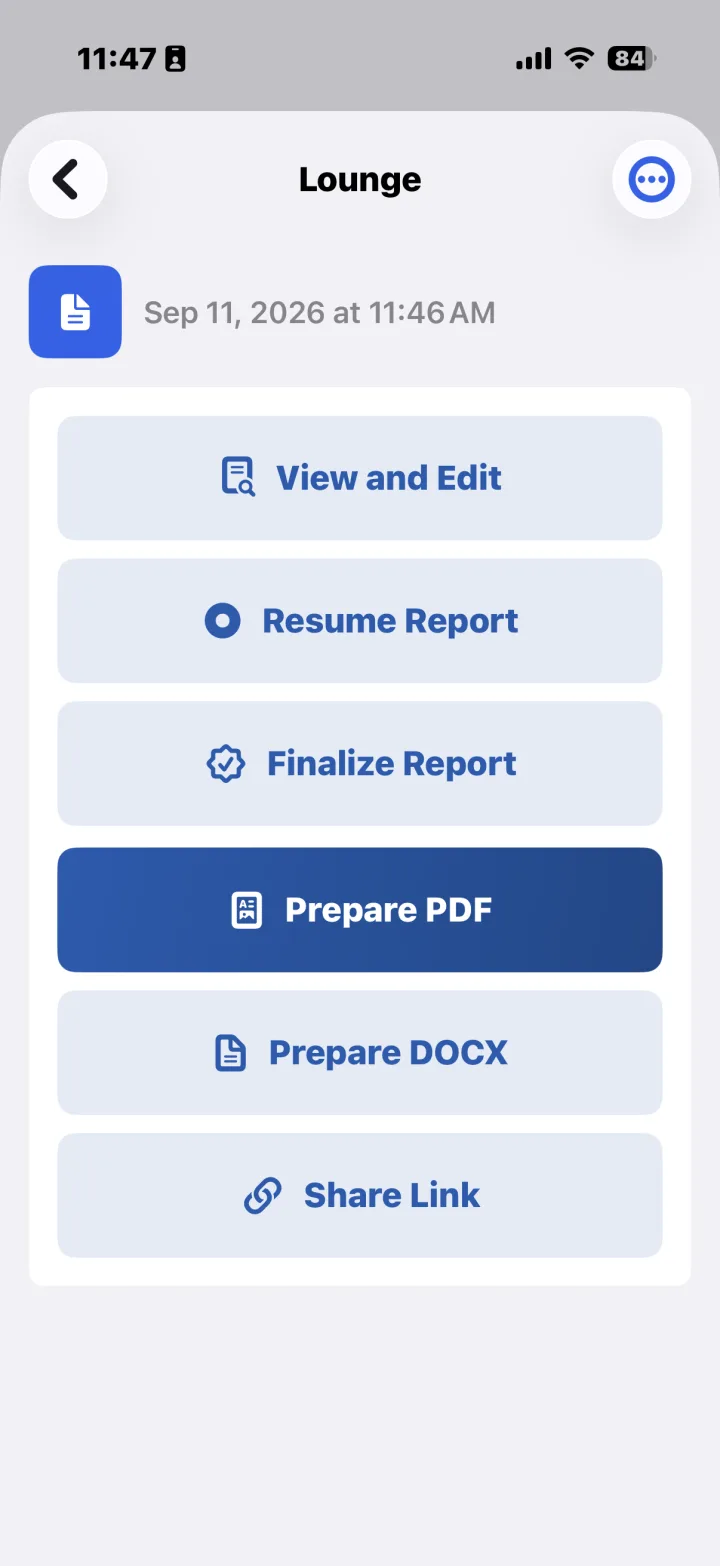
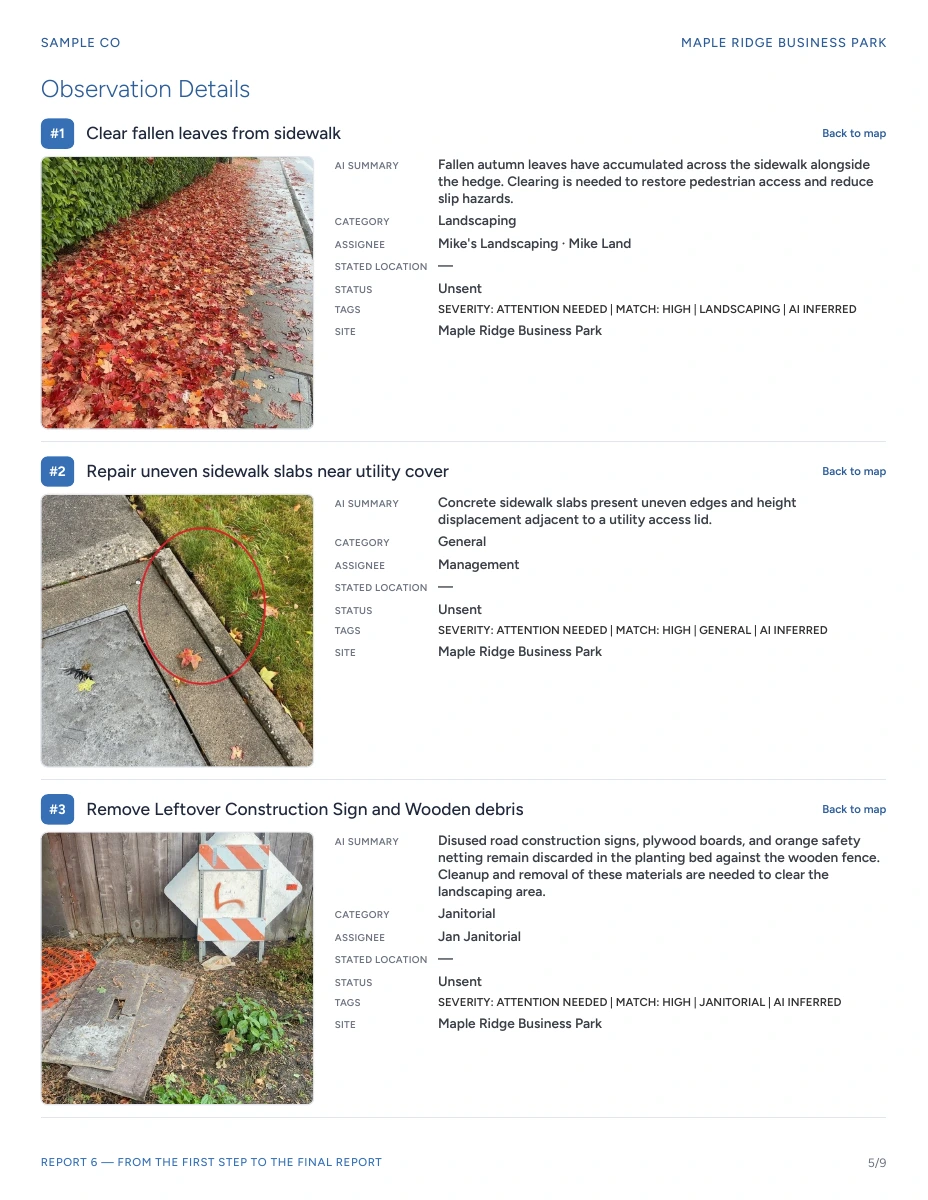
Report6 actions showing View and Edit, Resume Report, Finalize Report, Prepare PDF, Prepare DOCX, and Share Link.Observation details page from the supplied sample PDF, with photos, categories, and assignees.

The finished report

See the complete report.

Afternoon Inspection · Maple Ridge Business Park

Cover of the Afternoon Inspection report for Maple Ridge Business Park.
Cover + site details
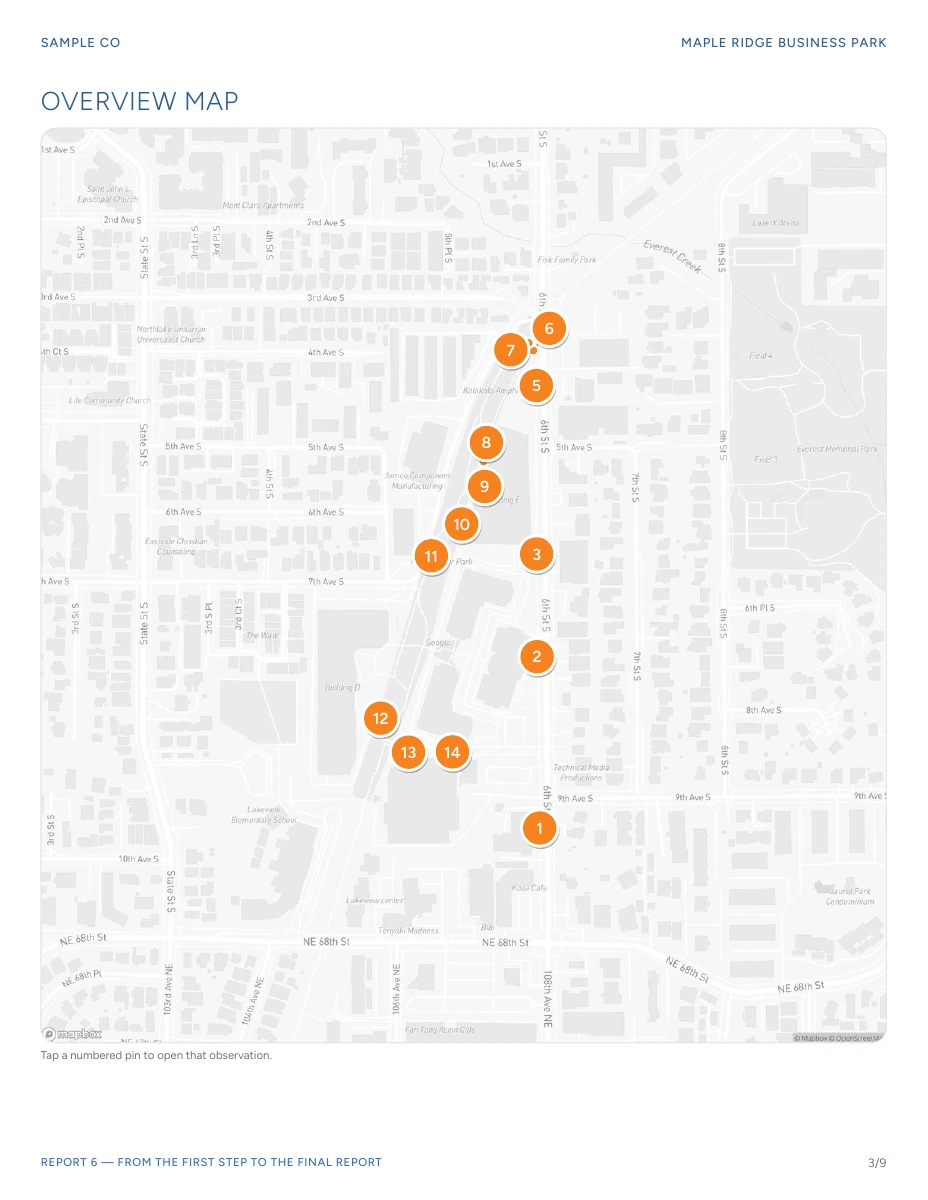
Sample report overview map with numbered observation pins.
Mapped observations
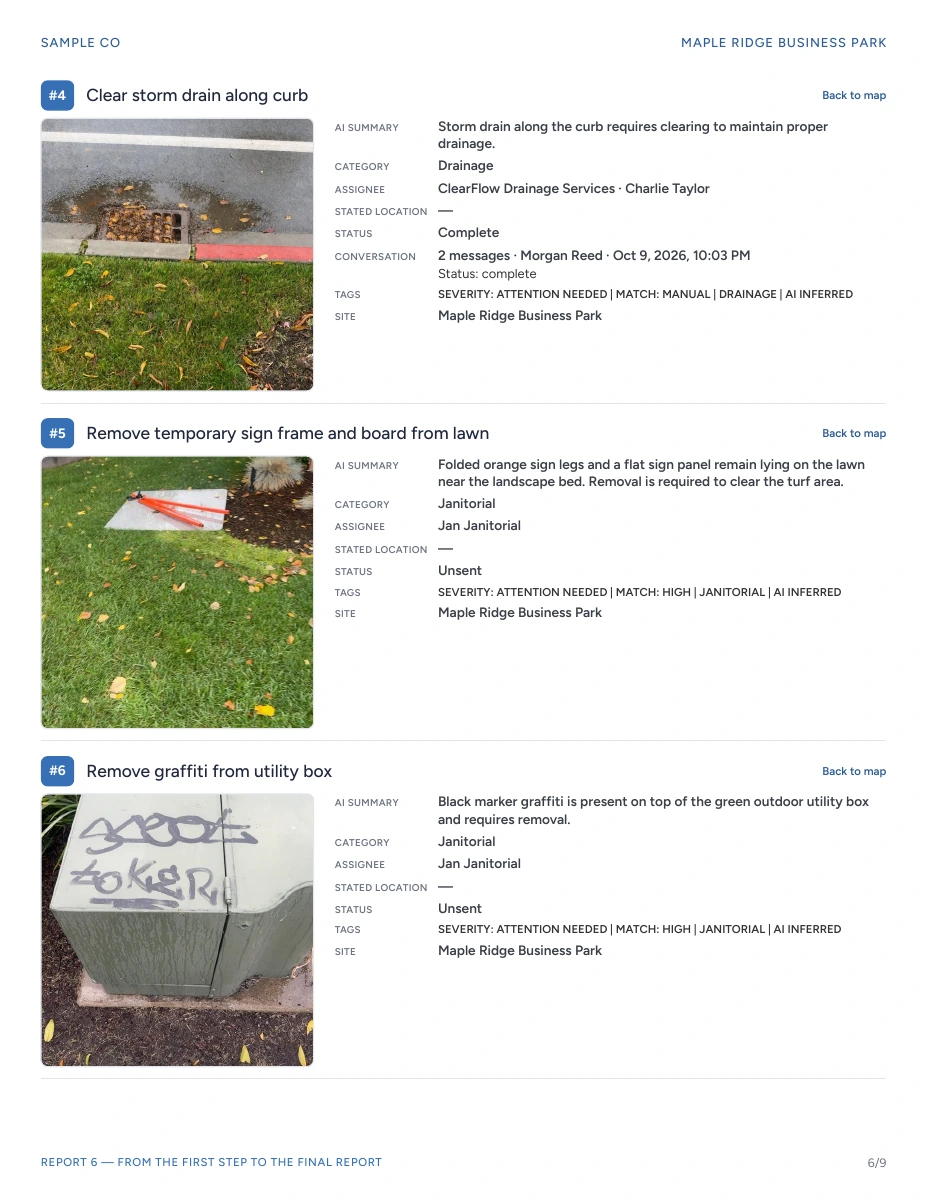
Sample report observations with photos, assignees, and completed drainage follow-up.
Findings + follow-up

Report templates

A template for the job.

For inspections, site walks, incidents, and more. Choose a built-in template, use Free-form, or create your own. With Enterprise, create shared company templates that every team member uses consistently.

Plans & pricing

Personal or Enterprise.

Personal

Always free

Free

For your own reports.

  • 60 items per report
  • PDF reports
  • 7-day cloud sharing
  • Custom templates on your device
Get the app

Enterprise

Starting at

$30/month

*Based on final usage.

For teams, vendors, and multiple sites.

  • Photos + video
  • 12 photos and videos combined per observation
  • All images stored in the cloud
  • Company-wide templates
  • AI vendor matching; you send
  • Issue tracking
  • Vendor links to track progress
  • Multiple people on one report at the same time
  • Multiple properties
  • Patrol6 security integration
Ask about Enterprise

Quick answers

Do I need any special hardware?

No. Report6 runs on your iPhone or Android phone, using its camera, microphone, and GPS.

Can I review and edit a report?

Yes. Most observations are ready to use, but you can edit any field the AI captured, change the selected photo, and add annotations. You can also resume an open report.

Do I need to build a checklist first?

No. Choose a built-in template or Free-form. Company workspaces show the templates your company has approved.

Does AI send action items automatically?

No. In Enterprise, AI matches your categories to vendors and prepares action items. You review the recipient and choose when to send.

Does Report6 work for teams?

Yes. Multiple people can work on the same report at the same time. Enterprise also includes company-wide templates, vendor assignments, issue tracking, multiple properties, and integration with Patrol6 security. The company controls access and its submitted reports. Open Report6 Enterprise or ask about a team workspace.

Where do personal reports and recordings go?

Personal reports stay on your phone and are processed in the cloud. You have 30 days to edit a report before it finalizes. The recording, unused photos, full location trace, and processing data are then deleted from the cloud; the finished report and selected photos remain available for sharing and export. Personal includes 7-day cloud sharing. Deleting a personal report removes it from your phone and the servers and stops its shared link; deleting your account removes all personal reports. Company reports remain under company control. Read the app privacy policy.

Where can I get the app or support?

Report6 is on the App Store and Google Play. The iPhone app is available in the US, Canada, UK, Australia, and New Zealand. For help, visit support or ask a question.

Walk. Talk. Done.

Get Report6 on iPhone or Android.

Report6 explained

Request a demo

Fill out the form below and we’ll get back to you shortly.

Your contact details

* Required fields