Construction Punch List
Capture incomplete work, defects, locations, and closeout notes.
Construction punch list app
Record incomplete work and defects as you reach them. Review the punch list, assign the items, and share the report.
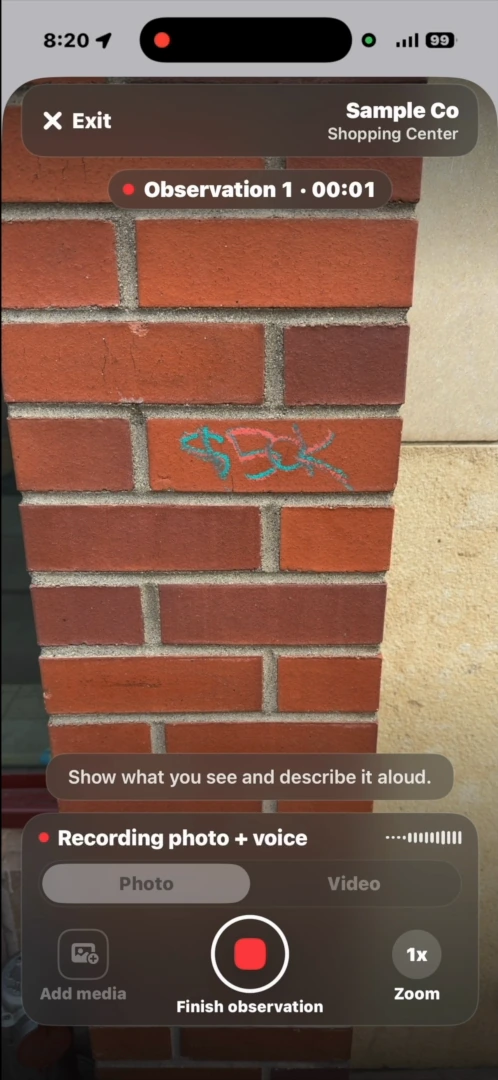
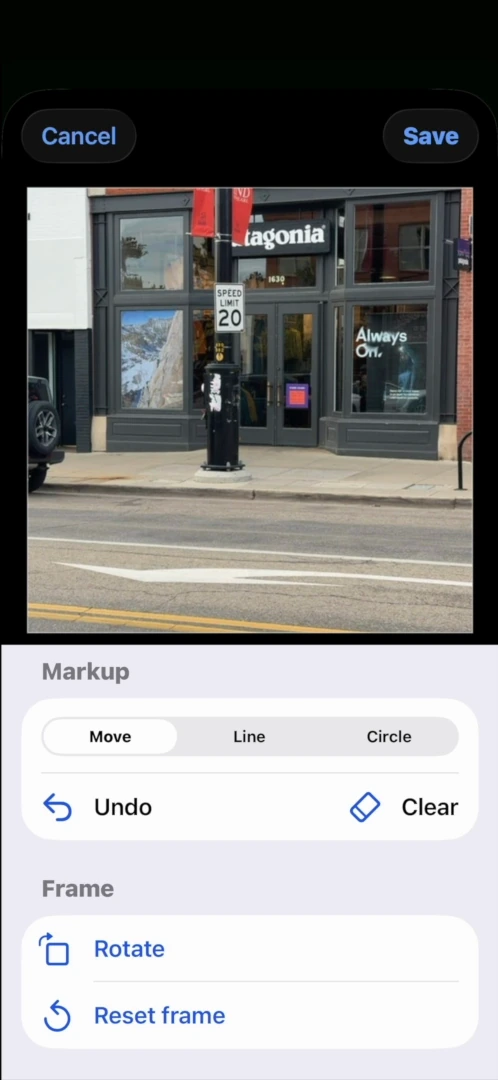
A useful construction punch list identifies the unfinished work, where it is, and who should address it. With Report6, narrate the item while capturing photos or video, then review the written description, category, and assignee.
Use a Construction Punch List template for defects and closeout notes. Choose Jobsite Progress Walk to record crews, deliveries, blockers, and next steps, or Safety / Hazard Inspection for hazards and housekeeping issues.
The workflow
Choose Construction Punch List and record an item when you reach the work.
Explain the defect, its location, and the required follow-up. Annotate the photograph where helpful.
Check the list, send items to the right recipients, and export the full report for the team.
Templates
Use a built-in template or Free-form. Company workspaces show company-approved templates.
All Report6 templates ↗Capture incomplete work, defects, locations, and closeout notes.
Document progress, crews, deliveries, blockers, and next steps.
Identify hazards, housekeeping issues, protective measures, and urgency.
Record completed repairs and any work still outstanding.
Use the company workspace to review observations, send assignments, and keep replies and follow-up photographs with the original finding. Merge related reports on the web when a single handoff needs to cover more than one walk.
Open the complete inspection sample to see the Report6 layout. This is a property-maintenance example, not a construction punch list.
Open the complete sample PDF ↗Yes. The Jobsite Progress Walk template covers progress, crews, deliveries, blockers, and next steps.
Yes. Review and annotate captured photos to make the finding easier to identify.
Yes. A Report6 Enterprise workspace brings together reports, recipients, templates, and assignments. Your company controls access and the reports submitted there.
Shared report links expire after 60 days and can be renewed. Personal reports have a 30-day editing window before finalization; the recording, unused photos, full location trace, and processing data are then deleted from the cloud. Company reports stay under company control. See the product FAQ and app privacy policy for details.
Report6 on iPhone and Android.