General Site Walkthrough
A free-form walk and talk through the site.
Site walk report app
Narrate a site visit on your phone. Report6 organizes the photos, locations, findings, and follow-up in one report.
A site walk report records the conditions you observed, where you found them, and what should happen next. It can cover a facility visit, a safety check, an incident, or an equipment walkaround.
Report6 captures photos while you record and links your narration to the observation. Review the resulting descriptions and supporting images before sharing the finished site visit report. Your phone supplies the camera, microphone, and GPS.
The workflow
Choose a template or Free-form, select the site, and record an observation.
Say what you see and what needs attention. Capture photos, voice, or a video observation.
Check descriptions, categories, and assignees. Send observations or export the full report.
Templates
Use a built-in template or Free-form. Company workspaces show company-approved templates.
All Report6 templates ↗A free-form walk and talk through the site.
Record hazards, housekeeping issues, protective measures, and urgency.
Document what happened, when, and where.
Inspect a vehicle or piece of equipment.
Capture damage, affected areas, and repair priority.
Record defects or hazards around poles, lines, meters, and roadside assets.
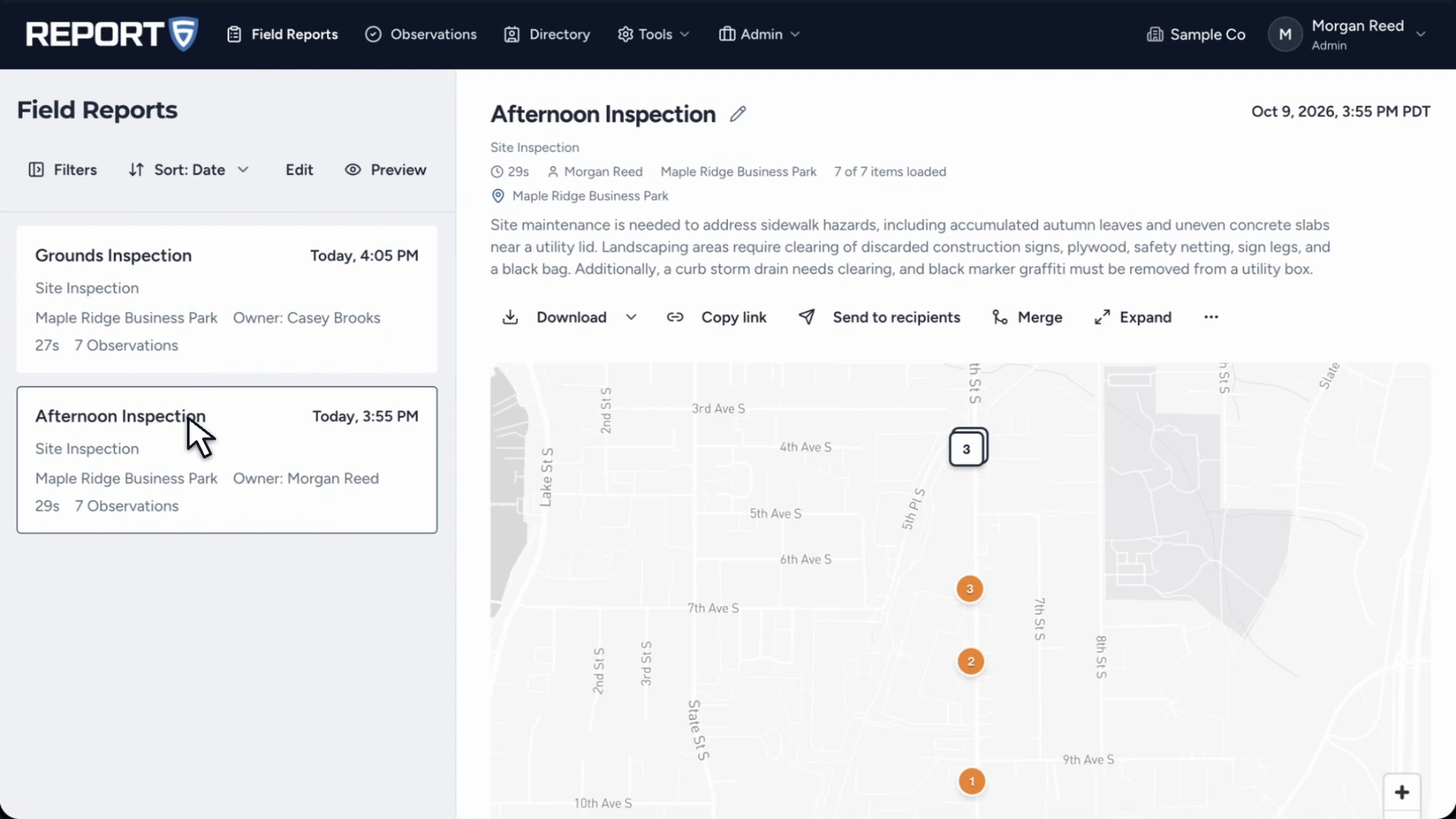
In a company workspace, review reports and observations on the web, assign work to site recipients, and follow the conversation and status updates. Export the full site visit report as a PDF or DOCX, or send a shareable link.
See a nine-page afternoon inspection with a site summary, observation map, photographs, assignments, and follow-up status.
Open the complete sample PDF ↗A site walk report, also called a site visit report, brings together the conditions found during a visit, their locations and photographs, and any follow-up needed.
Yes. Report6 runs on iPhone and Android. No separate camera or recording device is required.
No. Start from a built-in template or Free-form. Company workspaces use company-approved templates.
Shared report links expire after 60 days and can be renewed. Personal reports have a 30-day editing window before finalization; the recording, unused photos, full location trace, and processing data are then deleted from the cloud. Company reports stay under company control. See the product FAQ and app privacy policy for details.
Report6 on iPhone and Android.