Property Inspection
Record conditions, access, repairs, and follow-up.
Property inspection app
Capture conditions, cleaning, damage, and repair needs. Keep the photos, descriptions, and responsible people together.
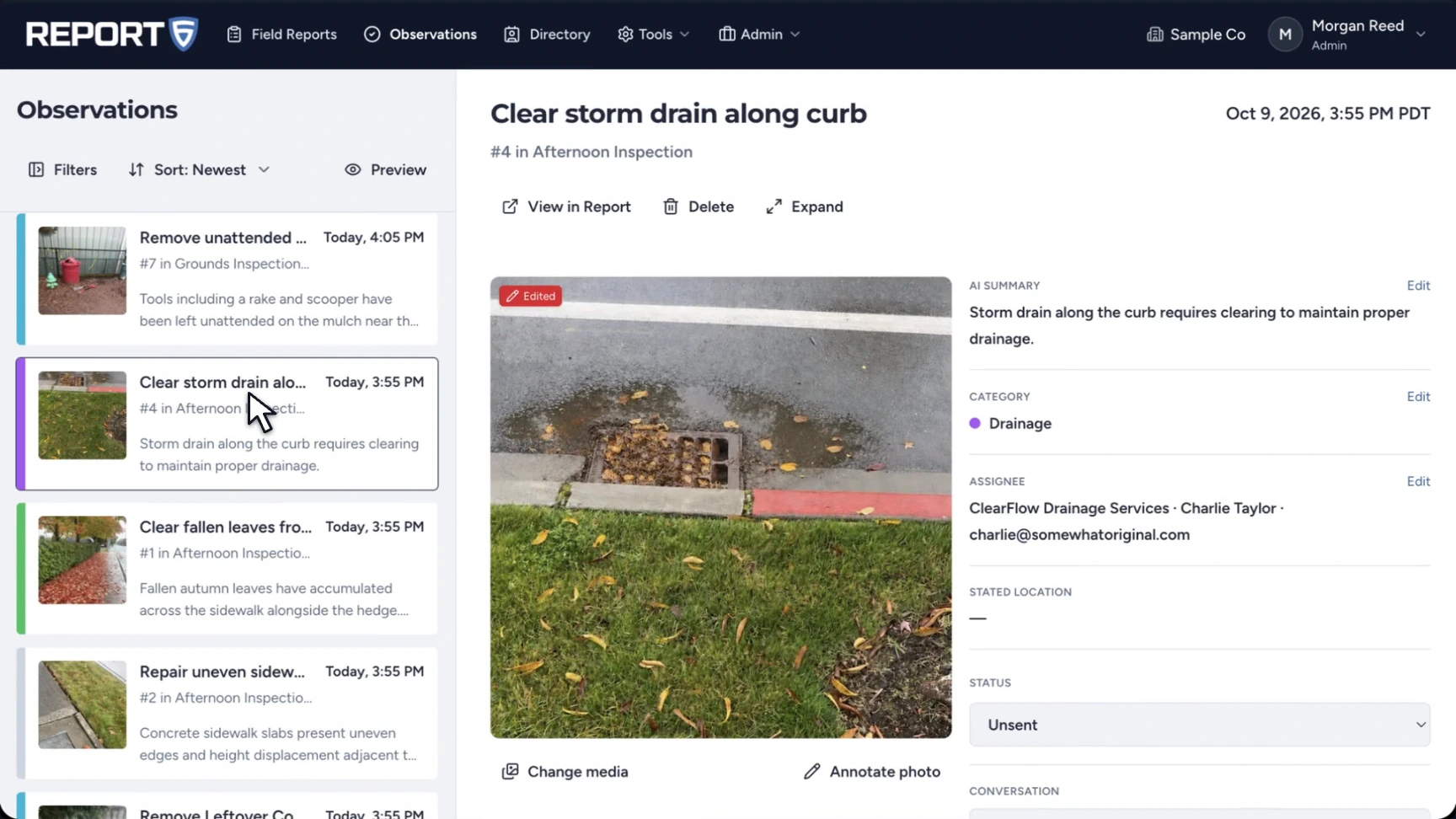
Property inspections produce findings across landscaping, drainage, cleaning, access, and general maintenance. Report6 turns narrated observations into a report with photographs, locations, categories, and assignees.
Choose Property Inspection for a routine visit, Unit Turnover / Make-Ready between occupants, or Work Order Follow-Up to document a completed repair and anything still outstanding. Review each finding before sending it to an owner or contractor.
The workflow
Select a property template and the site you are inspecting.
Show the issue and describe it aloud. Add the location and context needed for the repair.
Review the category and assignee, send the observation, and track replies and completion.
Templates
Use a built-in template or Free-form. Company workspaces show company-approved templates.
All Report6 templates ↗Record conditions, access, repairs, and follow-up.
Capture cleaning, damage, and repair needs between occupants.
Verify completed work, remaining tasks, access issues, and tenant notes.
Document damage, affected areas, and repair priority.
Send selected observations to the people responsible for the work. The company workspace keeps the assignment, status, recipient conversation, and follow-up photos with the observation. Give the property owner a complete PDF, editable DOCX, or report link.
The supplied Maple Ridge Business Park sample includes sidewalk hazards, landscaping cleanup, drainage, graffiti, and irrigation findings.
Open the complete sample PDF ↗Yes. The Unit Turnover / Make-Ready template covers cleaning, damage, and repairs between occupants.
Yes. Observations have categories and assignees, and selected observations can be sent to the relevant recipients.
Use Work Order Follow-Up for a new visit. In a company workspace, you can also review an observation’s status, recipient replies, and follow-up photos.
Shared report links expire after 60 days and can be renewed. Personal reports have a 30-day editing window before finalization; the recording, unused photos, full location trace, and processing data are then deleted from the cloud. Company reports stay under company control. See the product FAQ and app privacy policy for details.
Report6 on iPhone and Android.